

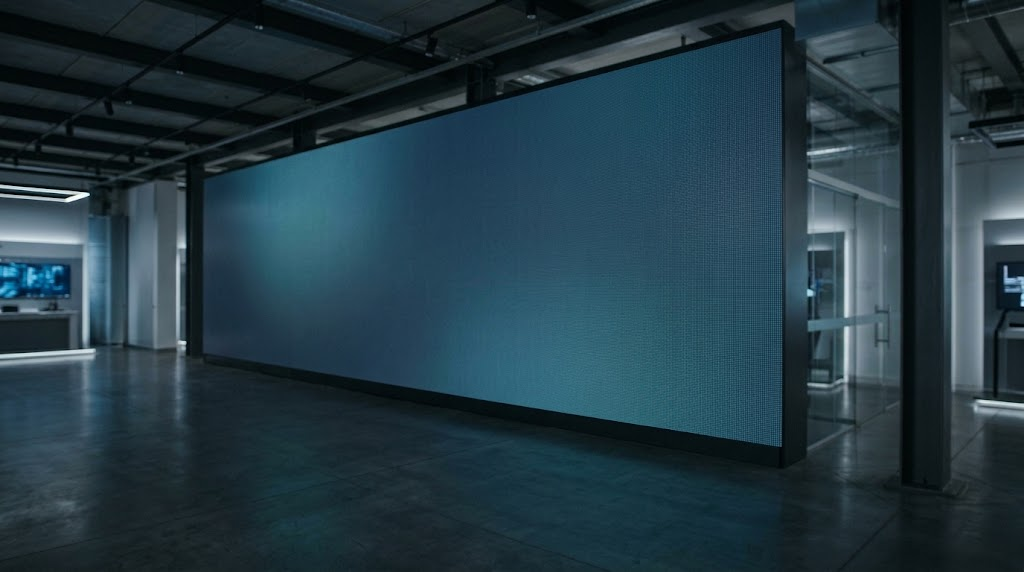
Procuring commercial display hardware carries significant financial and operational risk. Choose the wrong parameters, and the failure modes surface immediately: a roadside billboard washed out by midday sun, an indoor display whose coarse pixel grid distracts viewers at close range, or an outdoor cabinet whose perimeter seals degrade within eighteen months, corroding the receiving cards.
For system integrators, AV consultants, DOOH operators, and procurement teams, learning how to choose an LED display is not about chasing headline numbers or factory brochures. It is an engineering exercise in matching physical panel specifications — pixel pitch, optical luminance, thermal dissipation, ingress protection, and driver electronics — to the exact optical, architectural, and environmental demands of the deployment site.
This guide outlines an objective, parameter-by-parameter specification framework designed to eliminate guesswork, control lifecycle costs, and streamline vendor evaluation.
The Market Context: Why LED, Why Now
Capital allocations for large-format displays continue to shift toward direct-view LED architectures across corporate, retail, and outdoor media sectors. Three drivers underpin this shift: decreasing production costs per square meter for sub-2 mm packaging, efficiency gains in common-cathode driver topologies, and accelerating digital transformation in out-of-home advertising networks.
Industry data confirms this sustained capital investment:
| Market Metric | Valuation / Growth Rate | Forecast Period | Source |
| Global Outdoor LED Display Market | $11.2B (2025) → $13.0B (2026) → $32.8B (2033) | 14.1% CAGR (2026–2033) | Grand View Research |
| Global Digital Signage Market | $31.1B (2025) → $58.4B (2033) | 8.2% CAGR (2026–2033) | Grand View Research |
| US OOH Advertising Revenue | $9.46B total; DOOH at 36.3% share (+10.5% YoY) | 2025 | OAAA |
| Global DOOH Media Spend | +12% growth (2025); +15.3% projected (2026) | 2025–2026 | PQ Media |
According to Grand View Research, the Asia-Pacific region anchored the outdoor segment in 2025, commanding a 40.0% revenue share. In the mature North American market, the Out of Home Advertising Association of America (OAAA) reported that US out-of-home revenue reached a record $9.46 billion in 2025, extending a 19-quarter growth streak driven primarily by digital infrastructure expansion.
Looking forward, research firm PQ Media projects global digital out-of-home media spending will expand by 15.3% in 2026. This deployment cycle is supported by cyclical events, including federal elections across 13 of the top 20 global markets, the Winter Olympic Games, and the FIFA World Cup. Capital is deploying rapidly — which raises the cost of commissioning sub-optimal hardware.
Step 1 — Define the Application Before the Spec Sheet
Before reviewing hardware datasheets, establish the operating environment. Every deployment context prioritizes distinct physical and electrical characteristics:
- DOOH & Highway Billboards: Run under direct, unshaded sunlight with 16-to-24-hour daily duty cycles. They require high luminance (8,000+ nits), robust ingress protection (IP65/IP67), structural wind-load tolerances, and automated ambient brightness throttling.
- Sports Venues: Require impact-resistant module masks (fascia), soft perimeter surfaces to protect athletes, high refresh rates (3,840 Hz and above) to eliminate camera flicker during high-frame-rate broadcast replays, and redundant power and data lines.
- Retail & Corporate Lobbies: Demand close viewing distances, broad horizontal viewing angles (140°+), and architectural integration. High brightness is a liability here; the focus shifts to tight panel flatness tolerances and silent, fanless operation.
- Critical Control Rooms: Require sub-1.5 mm fine pitch, N+1 component redundancy, low thermal output, and certified 24/7 reliability where a dead pixel can disrupt mission-critical monitoring data.
- Creative & Curved Architecture: Requires lightweight, modular die-cast aluminum chassis, flexible PCB modules, and quick-lock mechanical hardware for smooth faceted or continuous curves.
Understanding these operational boundaries keeps project teams from misallocating capital — such as overspending on broadcast-grade controllers for a retail facade, or installing standard indoor cabinets in high-humidity atriums. At GeorgeLED, this is the starting point of every quotation: engineer for the scene, not the spec sheet.
Step 2 — Pixel Pitch and Viewing Distance
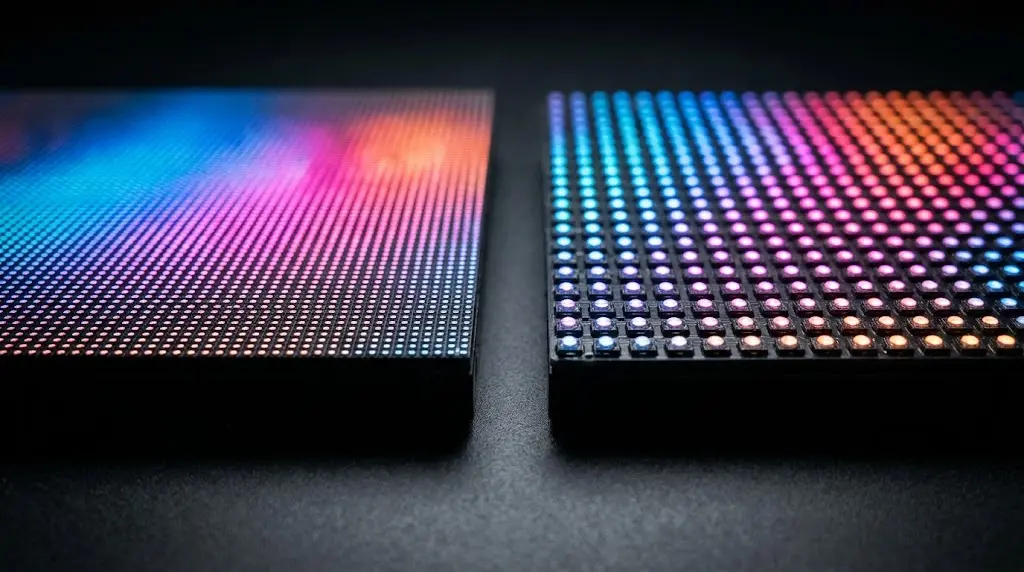
Pixel pitch (P) defines the center-to-center distance between adjacent LED clusters, expressed in millimeters. It governs both image resolution and minimum comfortable viewing distance.
A practical rule of thumb for procurement engineers: the pixel pitch in millimeters roughly equals the minimum comfortable viewing distance in meters. A P2.5 panel offers comfortable viewing from roughly 2.5–3 meters away. Inside that distance, human visual acuity resolves individual diodes, creating a visible “screen-door” grid. Beyond it, the diodes blend into a continuous image.
| Pitch Range | Typical Min. Viewing Distance | Primary Application Scenarios | Recommended Tech |
| P0.9 – P1.5 | 1.0 – 1.5 m | Mission-critical control rooms, broadcast sets, boardrooms | Fine-pitch indoor COB |
| P1.6 – P2.5 | 1.6 – 2.5 m | Corporate lobbies, high-end retail flagships, auditoriums | Fine-pitch SMD / GOB |
| P2.6 – P3.9 | 2.5 – 4.0 m | Retail video walls, indoor stages, houses of worship | SMD black frame |
| P3.9 – P4.8 | 4.0 – 5.0 m | Semi-outdoor, shopping mall atriums, outdoor fine-pitch | High-bright SMD |
| P5.0 – P8.0 | 5.0 – 8.0 m | Sports arena perimeters, transit hubs, urban facades | Robust SMD / IP65 |
| P10.0 – P16.0 | 10.0 – 16.0 m | Highway billboards, high-mount DOOH towers | High-power SMD / DIP |
The Cost Penalty of Over-Specifying Pitch
Pixel density does not scale linearly; it scales with the inverse square of the pitch:
Pixel density (pixels per m²) = 1,000,000 ÷ P²
Halving the pitch quadruples the number of LEDs, driver ICs, and solder joints per square meter:
- P4.0: 62,500 pixels/m²
- P2.0: 250,000 pixels/m² (4× component density)
- P1.0: 1,000,000 pixels/m² (16× component density)
Specifying a P1.5 display for a viewing distance of 6 meters wastes capital. The viewer’s eye cannot resolve the added density, yet the budget bears four times the diode cost, higher operating temperatures, and a larger component count.
Step 3 — Brightness: Match Nits to the Environment
Luminance is measured in candelas per square meter (cd/m²), commonly termed nits. Sizing brightness to ambient light levels preserves readability without degrading components prematurely.
| Operating Environment | Target Brightness Range | Engineering Rationale |
| Indoor Standard (offices, control rooms) | 600 – 1,200 nits | Minimizes eye fatigue; preserves diode lifespan |
| Indoor High-Ambient (glazed atriums) | 1,200 – 1,500 nits | Compensates for skylights and glass reflections |
| Semi-Outdoor / Window Displays | 2,500 – 4,500 nits | Cuts through storefront glass glare |
| Shaded Outdoor Walls / Storefronts | 4,500 – 6,000 nits | Daylight contrast without direct solar loading |
| Stadium & Daylight Outdoor | 5,500 – 7,000 nits | Open-air venues without sustained direct sun |
| Direct Sunlight / Roadside DOOH | 8,000 – 10,000 nits | Full-sun readability against extreme ambient lux |
Over-specifying baseline luminance creates operational liabilities. Running an LED consistently at maximum current raises junction temperatures, accelerates epoxy degradation, shifts color balance, and shortens the diode’s L70 lifespan (the point at which output falls to 70% of initial brightness).
The sound engineering approach specifies a panel capable of the required maximum nits, paired with ambient light sensors that throttle output during overcast conditions or at night. This preserves contrast while cutting power consumption and thermal stress. High-output hardware — such as stadium-scale outdoor series rated to 10,000 nits — exists for the minority of sites that genuinely need it; everywhere else, size brightness to the actual orientation and climate.
Step 4 — IP Rating, Climate and Service Access
Mechanical failure in outdoor displays stems primarily from two causes: moisture ingress and thermal saturation.
Ingress Protection (IP Ratings)
- IP65 (minimum outdoor standard): Dust-tight (the 6); protected against water jets from a 6.3 mm nozzle from any direction (the 5). Sufficient for most wall mounts and sheltered enclosures.
- IP66 / IP67: Dust-tight; protected against powerful water jets (6) or temporary immersion up to 1 meter (7). Recommended for coastal sites subject to driving rain, marine fog, or high-pressure washdowns.
Thermal Management by Climate
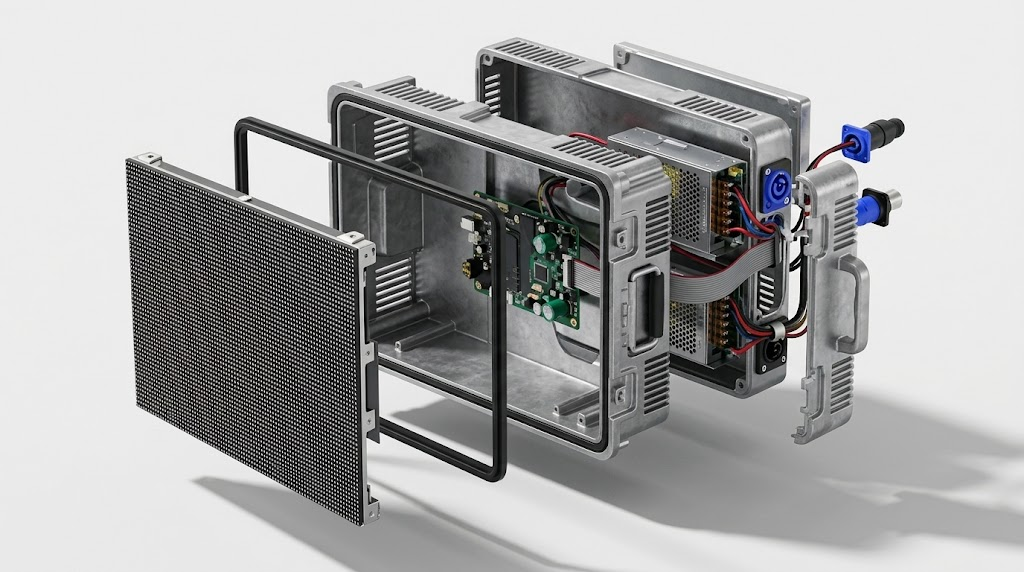
In high-heat regions (ambient temperatures of 45°C and above), sealed steel cabinets without active thermal management act as heat traps. Look for die-cast or extruded aluminum chassis: aluminum conducts heat roughly four times better than sheet steel, dissipating it passively across the entire cabinet shell.
In sub-zero climates (−20°C to −40°C), driver ICs and power supplies require cold-start capability, conformal coatings to survive condensation and freeze-thaw cycles, and low-temperature-rated internal cabling.
Maintenance Access Architecture
- Front service (vacuum tool / magnetic modules): Modules release from the screen face. Essential for wall-mounted displays and zero-clearance architectural niches — eliminates the capital cost of building a rear maintenance corridor.
- Rear service (door latches / screws): Modules and power boxes release from inside the structure. Suited for perimeter billboards, stadium pylons, and gantries where technician access already exists.
Step 5 — Refresh Rate, Gray Scale and Camera Performance
When displays appear on camera — in broadcast studios, sports arenas, or simply on visitors’ smartphones — electrical drive specifications become paramount.
- Refresh rate: How many times per second the hardware redraws the frame. Standard indoor signage operates reliably at 1,920 Hz. Any display filmed by broadcast cameras requires a minimum of 3,840 Hz, with high-end virtual-production environments running at 7,680 Hz. Insufficient refresh rates produce black horizontal scan lines and moiré patterning on camera.
- Gray scale depth: The panel’s ability to render smooth color transitions without banding. Industrial specifications demand 14-bit to 16-bit processing. Fine gray-scale control matters most at low brightness: poor driver ICs lose bit depth when dimmed to 20% output, compressing shadow detail into flat black blocks.
Step 6 — Control Systems and Operations
An LED display is an output terminal; its stability depends on the processing and distribution pipeline upstream. When selecting control systems, match the topology to the operational workflow:
- Synchronous control: The display mirrors a live input source (HDMI, SDI, DP) in real time with minimal latency. Required for sports broadcast boards, live events, and command-and-control visualizers.
- Asynchronous control: The processor stores and executes cached media playlists autonomously. Used for standalone billboards, retail signage, and public information boards.
- Telemetry and health monitoring: Enterprise deployments need cabinet-level remote monitoring — operating temperature, rail voltage, door-open sensors, signal integrity — over IP networks. GeorgeLED ships its own controllers and processors with cloud-managed options, letting operations centers query panel health across multi-region networks from a single dashboard.
Step 7 — Total Cost of Ownership, Not Price per m²
Relying on “price per square meter” as a primary evaluation metric leads to skewed procurement decisions. There is no honest single number: pixel pitch, brightness, LED brand, and cabinet material all move it — and a low sticker price often hides inefficient power topology, low-bin diodes, and thin warranties that inflate operating costs over a 5-to-10-year asset life.
A realistic ownership budget spans four buckets: initial hardware, a decade of electricity, installation and civil works, and maintenance with spares. Of these, power consumption is the one most buyers underestimate.
The Power Multiplier: Common Cathode vs. Common Anode
Traditional common anode designs supply a unified voltage (typically 5 V) to the red, green, and blue dies, even though red dies operate at only around 2.1–2.8 V. The excess voltage burns off as waste heat through dropping resistors.
Modern common cathode architectures supply independent rails — around 2.8 V for red and 3.8 V for green and blue. Manufacturer testing commonly cites power savings in the 25–40% range, with lower thermal load across the cabinet, directly extending module life.
The 72-Hour Burn-In Benchmark
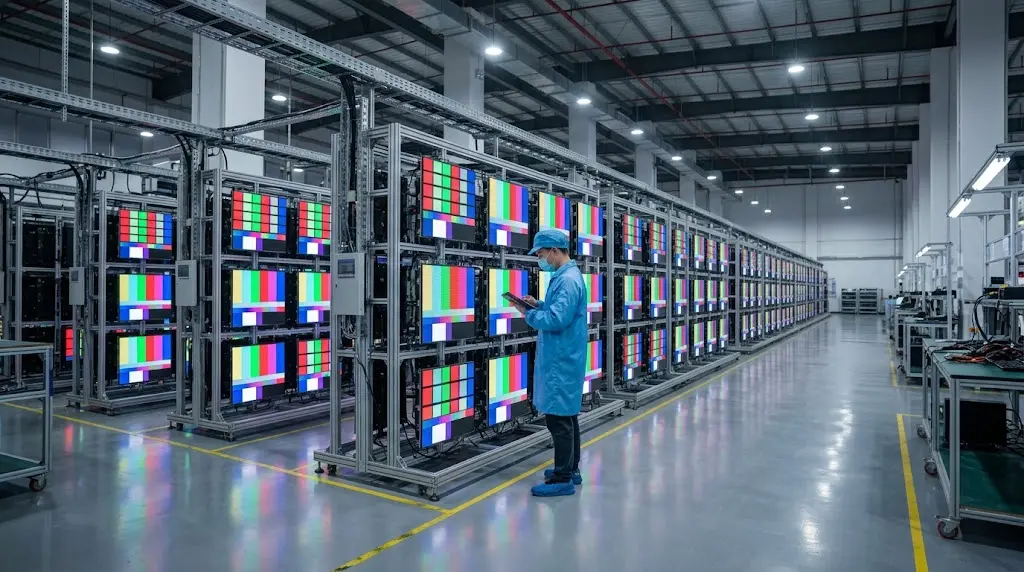
Component failure rates follow the classic “bathtub” curve: the highest risk of diode, driver, and solder-joint failure occurs in the first hours of continuous operation. A thorough factory acceptance protocol weeds out these weak links via a continuous 72-hour aging and burn-in test before packaging — panels run alternating cycles of full-white field (peak thermal and current load), monochrome fields (checking for micro-shorts), and dynamic color bars.
At GeorgeLED, no cabinet leaves the Foshan facility without a logged 72-hour aging run backed by photo and video records, shielding buyers from costly on-site rectification after a transoceanic shipment. Whatever vendor you choose, confirm in their FAQ and warranty terms that testing covers whole assembled cabinets under full load — not brief spot-checks on unassembled modules.
How to Vet an LED Display Manufacturer: The Checklist
Knowing how to choose an LED display is only half the job; choosing the manufacturer is the other half. Use this engineering and quality-assurance checklist when auditing prospective partners:
- In-house SMT lines & fabrication: Verify the supplier owns and operates high-speed surface-mount (SMT) lines and cabinet production, rather than outsourcing to third-party contract shops.
- 72-hour full-screen aging test: Demand timestamped video documentation of the entire assembled display under continuous burn-in before crating.
- Traceable international certifications: Confirm genuine CE, RoHS, FCC, and ETL certificates per series, supported by factory-level ISO 9001, ISO 14001, and ISO 45001 audits.
- Warranty backing and spare components: Insist on a written 3-year warranty plus a spare-parts bundle (matching-bin LED modules, receiving cards, power supplies) from the identical production run.
- Engineering submittals before production: The manufacturer must supply CAD cabinet layouts, power/signal schematics, and structural drawings as part of the quote.
- Demonstrated export track record: Verify delivery history in your market. (GeorgeLED has completed 3,800+ projects across 120+ countries.)
- Sample policy: The supplier should welcome small pilot cabinets and samples without arbitrary large minimum order quantities.
- Long-term spare-part and diode-bin archiving: The factory must guarantee spare availability for the product’s service life, so field-replaced modules match the original color temperature and luminance.
How to Choose an LED Display: Quick Selection Cheat Sheet
| Use-Case Scenario | Recommended Pitch | Target Luminance | Enclosure Protection | Key Architecture Detail |
| Highway DOOH Monolith | P8.0 – P10.0 | 8,000 – 10,000 nits | Front/Rear IP65+ | Aluminum cabinet, common cathode, light sensor |
| Urban Storefront Facade | P3.9 – P4.8 | 4,500 – 6,000 nits | Front IP65 / Rear IP54 | Front-service access, slim chassis |
| Shopping Center Atrium | P2.5 – P3.0 | 1,200 – 1,500 nits | Indoor (IP30+) | Magnetic front service |
| Corporate Boardroom | P1.2 – P1.5 | 600 – 1,000 nits | Indoor (IP30) | Low-reflection COB, fanless, 16-bit gray scale |
| Control & Command Center | P0.9 – P1.2 | 600 – 1,000 nits | Indoor (IP30) | Redundant power & data, low thermal output |
| Stadium Ribbon / Perimeter | P5.9 – P8.0 | 5,500 – 7,000 nits | IP65 all-weather | 3,840 Hz refresh, soft protective face masks |
Review GeorgeLED’s full product range to evaluate modular hardware tailored to these application envelopes.
Get an Engineered Proposal for Your Project
Selecting commercial LED displays means balancing mechanical tolerances, optical metrics, and long-term electrical efficiency. The engineering team at GeorgeLED’s Foshan manufacturing plant helps integrators, contractors, and project owners specify systems matched to real site constraints.
Submit your site dimensions, viewing distances, and environmental conditions through our contact page. A project engineer — not a script reader — will reply within 24 hours with a pitch recommendation, CAD drawings, and an itemized factory-direct quote. Sample panels and small pilot orders are welcome.
Sources
- Grand View Research: Outdoor LED Display Market Size, Share & Trends Analysis Report (2026–2033)
- Grand View Research: Digital Signage Market Size, Share & Trends Analysis Report (2026–2033)
- Out of Home Advertising Association of America (OAAA): Out of Home Advertising Revenue Reaches Record $9.46 Billion in 2025
- PQ Media: Global DOOH Ad Spend Grew 12% in 2025; 15.3% Gain Projected in 2026